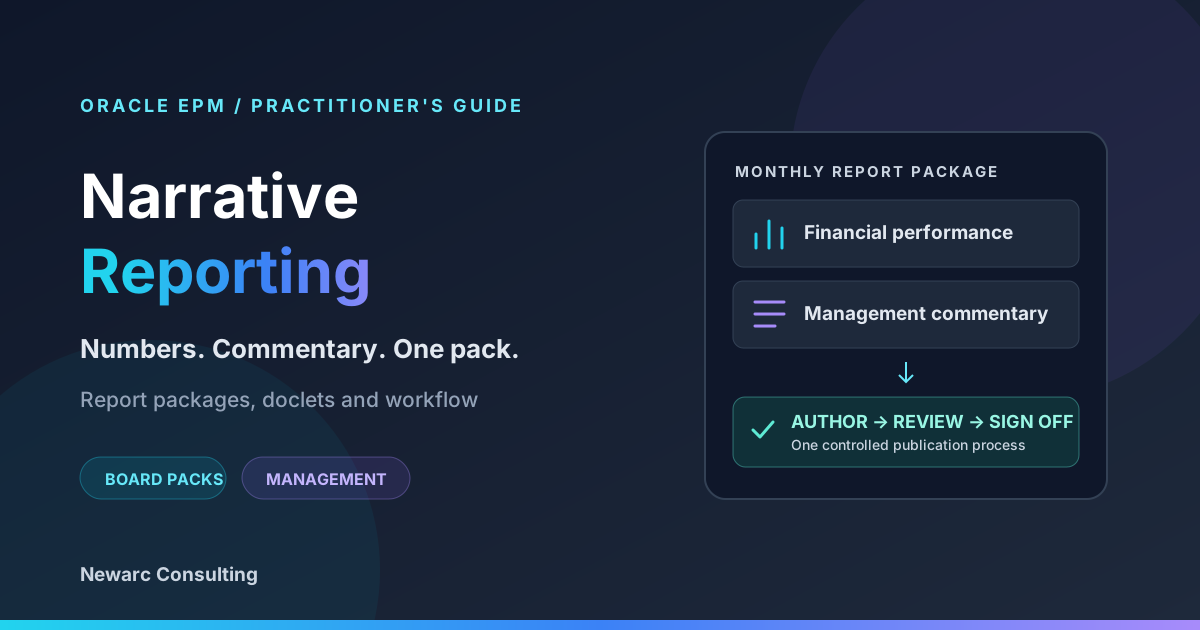
A board pack needs more than correct numbers. It needs clear commentary, accountable authors and a reliable approval process. Oracle EPM Narrative Reporting brings those pieces together so finance teams can explain performance without assembling the final pack through scattered files and email chains.
This practitioner's guide covers report packages, doclets, reusable reference content, the Reports toolset and the author-to-publication workflow. It also looks at the Reporting Agent and other AI features available in 2026.
What is Oracle EPM Narrative Reporting?
Oracle EPM Narrative Reporting combines data and commentary in a governed reporting process. Teams organize a report package into owned components called doclets, develop the content, complete the configured review and sign-off phases, and publish a merged document.
It is useful for board books, monthly management packs, performance reviews and disclosures that require contributions from several people. Office integration through Smart View lets contributors work with familiar documents while the package provides structure and progress tracking.
The practical benefits are straightforward:
- Combine numbers and narrative: bring financial statements, charts and explanations into one deliverable.
- Assign responsibility: identify who prepares, approves and reviews the content, with access based on assigned roles.
- Make recurring reporting repeatable: reuse templates and reference content, then refresh and validate them for the next period.
Narrative Reporting is also known by its earlier product name, Enterprise Performance Reporting Cloud Service (EPRCS). Older documentation and implementation notes may still use that name.
Choose your building blocks by the job
What are you trying to produce?
Report packages + doclets
Organize authored sections, responsibilities and approvals for a board or management pack.
Who owns each section, and who reviews it?
Reports
Design financial grids and charts with controlled layouts, formulas and formatting.
How should the P&L and variance analysis look?
Reference doclets
Make shared Excel ranges and Reports objects available for embedding in authored doclets.
Where can one maintained source replace repeated pasting?
Publish, Books + bursting
Publish an assembled package; use Books and bursting for grouped or distributed Reports output.
Does the reader need one pack or output by entity?
Report packages and doclets: the core model
A report package is the container for the deliverable. Sections group related material, while doclets divide the writing and reporting work into manageable components. For example, a monthly pack can have separate doclets for the executive summary, financial statements, segment performance and risk commentary.
There are three doclet types to distinguish:
| Type | Purpose | What reaches the published pack? |
|---|---|---|
| Regular doclet | Authored report content assigned to contributors; participates in the configured package workflow. | Its content is merged into the final report. |
| Reference doclet | Reusable content from Excel or Reports that authors embed in regular doclets. | The embedded content appears through the consuming doclet; the reference file itself is not merged. |
| Supplemental doclet | Supporting files such as instructions, source workbooks or background material. | Its contents are excluded from the merged output and from review/sign-off commenting. |
Oracle explains the distinction in report package components and doclets and variables in Smart View. Reference and supplemental doclets can participate in authoring, but are not independently included in the package's review and sign-off phases.
Match the document type to the package
Word packages use Word doclets; PowerPoint packages use PowerPoint doclets. PDF packages support PDF files and Office-based doclets, including Word and Excel. The authoring actions differ by file type: a PDF is not edited as an Office document. Confirm the supported combination before choosing templates. See Oracle's document-type guidance.
Reuse content without duplicating maintenance
Use a regular doclet when a person owns the explanation: CFO commentary, a segment review or a risk section. Use a reference doclet when the same financial grid or chart appears in multiple places. Use supplemental doclets for material that supports preparation but is not intended for the reader.
How reference content reaches the board pack
Refreshable does not mean every number is continuously updated without an action. For Excel reference doclets, changes propagate through the documented refresh and check-in process. Plan that process explicitly and validate the consuming doclets after refresh. Oracle describes it in adding Excel reference content.
The Reports toolset: formatted financial and management reporting
Reports, also referred to as Management Reporting in older material, is the report-design toolset. Use it for formatted financial statements, variance grids and charts. Report packages provide collaborative assembly and workflow; Reports provides the designed reporting content.
Reports supports grids, charts, formulas and conditional text. In a Narrative Reporting deployment, it can combine supported Cloud EPM, Essbase Cloud and ERP Cloud Financials sources. Books group reports and documents into a combined output, while bursting runs and distributes output for selected members. Oracle provides an overview of Reports.
Reports content can also be exposed through a reference doclet and embedded in the authored pack. Supported objects include grids, charts and text; availability varies by object and subscription. See making Reports content available in a reference doclet.
| Reporting need | Starting point |
|---|---|
| CFO commentary with contributors and formal review | Regular doclets in a report package |
| A formatted P&L with calculated variances | Reports |
| The same chart in several authored sections | Reference doclet with embedded content |
| Several reports assembled in a fixed order | Books |
| A report or Book generated for multiple entities | Bursting |
| Structured commentary collected against a point of view | Notes, subject to subscription |
Notes collects commentary against a reporting point of view, such as an entity and period, for display with financial data. It complements authored doclets when many contributors need to answer the same structured question. Check the entitlement before designing around it.
Cloud EPM system reporting can also expose relational system data, including Task Manager, Supplemental Data and Enterprise Journals. It is an Enterprise feature, and its availability depends on the deployment and source. It should not be assumed to be part of every Reports implementation.
Authoring, review and sign-off workflow
The value comes from making the reporting cycle repeatable. Decide the package structure, roles and enabled phases before asking contributors to start. Oracle allows phases to be configured rather than requiring every package to use every phase. See creating the report package structure.
Give each stage a clear owner
- 01 / DefinePackage ownerStructure sections, assign people and set dates.
- 02 / AuthorAuthors + approversPrepare content, refresh data and complete doclet approvals.
- 03 / ReviewReviewersReview assembled content and resolve feedback.
- 04 / Sign offPackage signersProvide final sign-off on the package.
- 05 / PublishAuthorized publisherProduce and check the final deliverable.
Define responsibilities before the reporting cycle
Assign authors and any doclet approvers during setup. Reviewers provide feedback on assembled content; signers provide the package's final sign-off. Those are different responsibilities, even when one person fills more than one role.
Avoid treating a due date as an automatic lock. Oracle notes that an author phase does not complete automatically just because its planned end date is reached. Track the actual completion state in the report center. See managing the author phase.
Publish the checked-in content
Publication produces a merged document from the selected content. You can publish a package, section or individual doclet, with PDF or supported native output according to the package type. The result can be saved locally or in the Library, from the web or Smart View. See Oracle's web publishing guidance and Smart View publishing guidance.
Check the final file itself: page breaks, fonts, headers, tables and chart placement can matter as much as a successful workflow status. Review comments and attachments are not published as report content.
Practical tips from the field
- Design around the reader. Separate the executive summary from detailed financial analysis so each audience can find what it needs.
- Stabilize data before final commentary. Agree the refresh cutoff and point of view, then validate the pack after the final refresh.
- Scope reviews deliberately. Assign reviewers to the content they need to assess and make responsibilities clear.
- Keep a refresh runbook. Record source readiness, refresh order, validation checks, approvals and publication steps.
- Test a complete reporting cycle. Include the real authors and reviewers before rolling the process into a close calendar.
Data connectivity: choose the source and the refresh path
Narrative Reporting can bring together content from several systems, but it helps to separate Reports data-source connections from content supplied by authors.
| Content path | Typical use | What to verify |
|---|---|---|
| Reports connected to supported Cloud EPM, Essbase Cloud or ERP Cloud Financials sources | Financial grids, charts and comparisons | Supported source, connection credentials, security and POV |
| Excel reference content, including Smart View grids | Shared ranges and charts embedded across authored doclets | Refresh, named ranges, registration and check-in |
| Authored Word, PowerPoint or PDF content | Commentary and material prepared in other tools | Ownership, version, format and review responsibilities |
Use Oracle's Reports documentation to confirm the connection model for your deployment. Reports embedded in another Cloud EPM business process and Reports in Narrative Reporting have different capabilities; avoid assuming the same connection options everywhere.
For example, a management pack might combine a consolidated P&L, planning variances and manually authored explanations. Define the same period, entity and scenario consistently across those pieces. Refreshing the numeric content does not validate the accompanying explanation: authors still need to check that their commentary matches the updated figures.
What is new: AI in Narrative Reporting in 2026
AI can help readers investigate report data and help authors draft commentary. It fits into the reporting process alongside the existing controls.
Reporting Agent and natural-language discovery
Oracle introduced the Reporting Agent in July 2026. It answers natural-language questions about report grid values, trends, rankings, comparisons and calculations in HTML preview, with follow-up questions grounded in the report and its point of view. Ask Oracle for Library, available in Narrative Reporting, helps find reports and artifacts through natural-language requests. See the July announcement.
The October 2026 causal-analysis enhancement identifies top or bottom contributors in supported grids and creates a separate ranked analysis grid while preserving the original. It helps investigate contributors; the result still needs business interpretation. See Reporting Agent Causal Analysis.
Generative narrative summaries
Conditional text and AutoTextSummary can generate draft descriptions, comparisons and contributor analysis. Oracle's April 2026 feature summary includes the Auto Text Summary Criteria Manager and expanded Zoom capabilities, which provide more control over summary criteria. See the April feature summary.
Treat generated commentary as a draft. Validate its figures, scope and explanation against the actual reporting question, then apply the normal review process. Feature availability depends on the subscription, deployment and configuration.
EPM Standard vs. Enterprise: what to check
Narrative Reporting is available in both EPM Standard and Enterprise. Oracle's subscription comparison lists Report Packages and Reports under Standard, with Report Notes and Cloud EPM System Reports within Reports added under Enterprise. See the Cloud EPM subscription comparison.
Oracle also identifies GenAI narrative summaries and Notes summarization among Enterprise capabilities for Narrative Reporting deployments in its Reports overview. Confirm the features required for your specific pack against the current subscription and environment before completing the design.
A useful starting discussion is whether you need collaborative package assembly, reusable financial reports, structured Notes collection, system reporting or AI-generated commentary. Establish those requirements first so the implementation matches the entitlement.
FAQ: Oracle EPM Narrative Reporting
What is Oracle EPM Narrative Reporting used for?
It brings financial data and commentary together in governed report packages, such as board packs, monthly management reviews and disclosures, with assigned contributors and a controlled reporting process.
What is a doclet in Narrative Reporting?
A regular doclet is an authored component of a report package. Its content becomes part of the merged report and participates in the configured author, review and sign-off phases.
What is the difference between a reference doclet and a supplemental doclet?
A reference doclet provides reusable Excel or Reports content for authors to embed in regular doclets. A supplemental doclet provides supporting material. Neither source file is merged directly into the published package; embedded content in regular doclets is included.
Does Narrative Reporting replace Oracle BI Publisher?
No. Narrative Reporting focuses on collaborative financial and management reporting, with its own Reports toolset. BI Publisher remains a separate reporting tool. Choose according to the data source, intended audience and required reporting process.
Can you author Narrative Reporting in Microsoft Office?
Yes. Oracle Smart View for Office and the Narrative Reporting extension support Office-based authoring and workflow. Available actions depend on the document type and role; PDF files are prepared with appropriate tools and managed through the web workflow.
Oracle documentation and related reading
Product and release details checked on October 19, 2026. The following Oracle sources support the package model, workflow, reporting and release information in this guide.
- Report package components and doclets and variables in Smart View
- Excel reference content and refresh behavior
- Reports overview and Reports objects in reference doclets
- Package structure and responsibilities and author-phase management
- Publishing from the web and publishing from Smart View
- July 2026 Reporting Agent and October 2026 causal analysis
- April 2026 feature summary
- Cloud EPM subscription comparison
For more Newarc guidance, read Reporting in Oracle Account Reconciliation and EPM Automate 26.12: password-file changes. Explore our Narrative Reporting training if your contributors need a practical introduction to the process.