Could I ask an AI assistant about my Oracle Planning application without giving it my EPM password? Most of the EPM AI Skills examples I had come across in articles and LinkedIn posts used Basic Authentication. I wanted to try OAuth 2.0 device-code sign-in and see what the assistant could actually read once I signed in.
I ran the test in Codex against an Oracle EPM test environment using epm-agent-skills. The skills give the assistant a way to turn a question like “What cubes are available?” into a documented Planning REST call. A shared authentication component supplies the credential for that call. That meant I could test sign-in once and use the same session for a short conversation about the application.
Signing in with a device code
I started with four configuration values. The EPM base URL identified the Planning environment. The IAM domain URL identified where I would sign in. The public client ID identified the registered OAuth client, and the EPM service instance ID identified the resource for which the skill requested access.
Here is the prompt with placeholders for those values.
Use epm-agent-skills to connect to my EPM environment at
<EPM base URL>using OAuth device-code sign-in. My IAM domain is<IAM domain URL>, my public client ID is<public client ID>, and my EPM service instance ID is<service instance ID>.
This assumes an administrator has registered a public client for the Device Code and Refresh Token grants, allowed the EPM resource, configured its secondary audience and enabled token refresh. The skill used the service instance ID to request the EPM-specific scope and included offline_access to request a refresh token. Oracle Cloud EPM OAuth setup
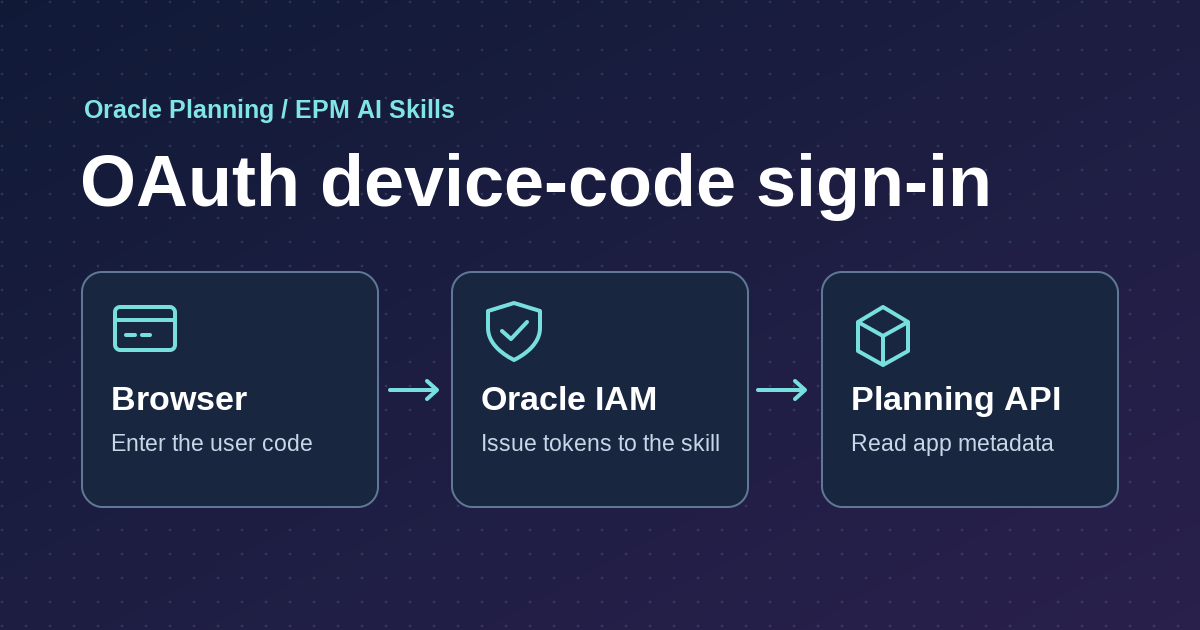
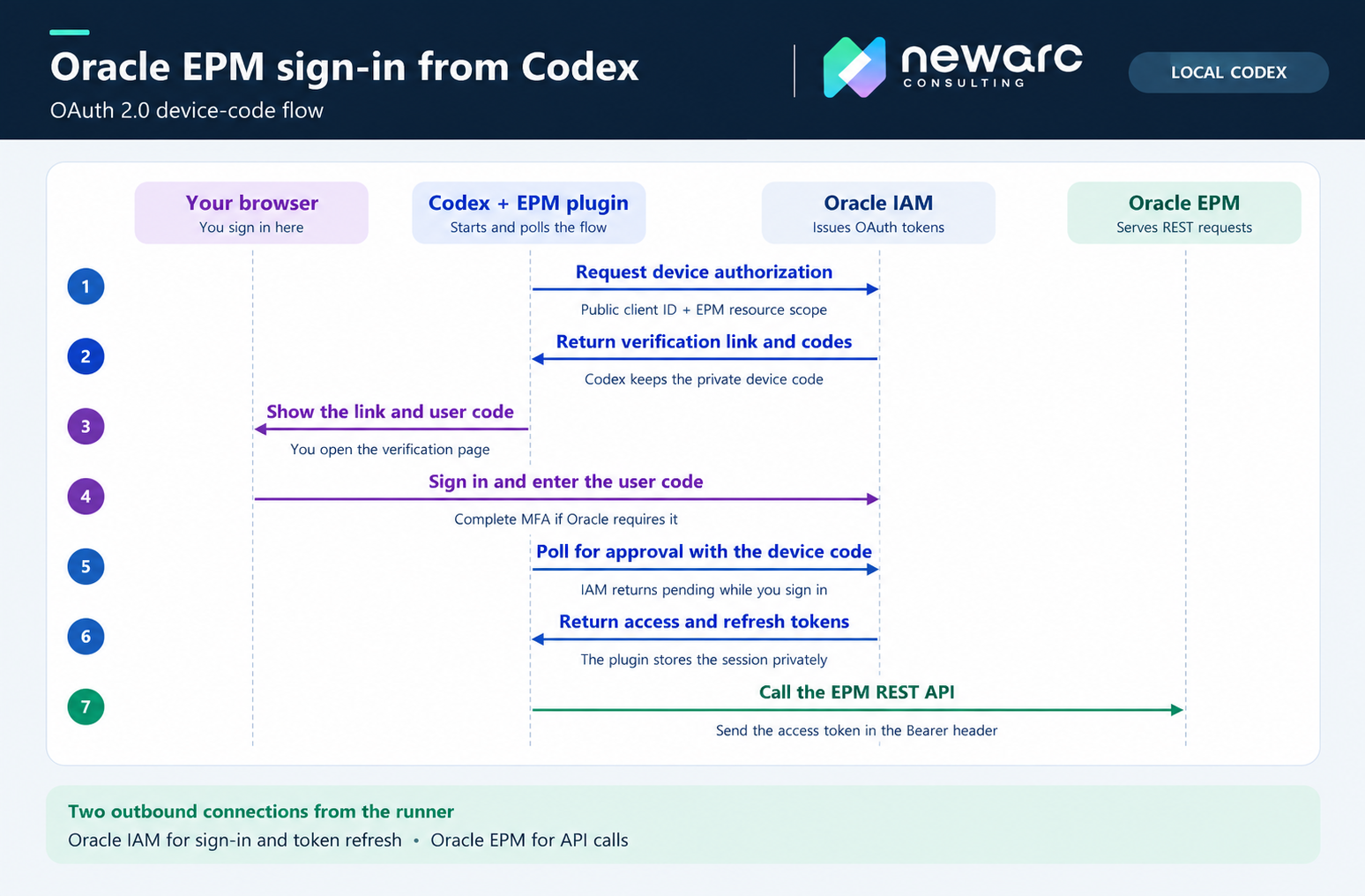
The assistant gave me an Oracle verification link and a short code valid for five minutes. I opened the link, entered the code and completed sign-in on Oracle's page. Meanwhile, the skill polled Oracle IAM. Once I finished, IAM issued the tokens and the skill saved the session in a private directory under my Windows profile. The only code I handled was the one meant for the verification page. My password and tokens stayed out of the conversation. Oracle IAM device-code flow
Some application, cube and dimension names have been changed for this article.
The first Planning call confirmed access
At that point I knew IAM had issued a token. I still wanted to know whether Planning would accept it for my account on this particular instance. My first question was deliberately simple. “What is the application name?”
The skill called GET /HyperionPlanning/rest/v3/applications with the saved OAuth session. Planning returned HTTP 200 and one application visible to my account, Vision. That response gave me both a live access check and the exact application name to use in the next question.
Five cubes and seven attribute dimensions
I asked which cubes, or plan types, were available in Vision. Planning returned five. The plan type name and cube name matched in each case.
| Plan type | Storage | Dimensions |
|---|---|---|
FinPlan |
Block storage (BSO) | 17 |
ProjRpt |
Aggregate storage (ASO) | 18 |
ProjPlan |
Block storage (BSO) | 16 |
HRPlan |
Block storage (BSO) | 20 |
HRRpt |
Aggregate storage (ASO) | 17 |
My next question was “How many attribute dimensions are available?” The totals in the table include every dimension type, so answering took a separate metadata read for each cube. The skill retrieved each cube's dimension list, selected entries that Planning classified as Attribute Dimension, and compared their IDs across cubes.
Each cube returned the same seven IDs. That made the application-wide answer seven unique attribute dimensions. One example was FERC. It appeared in all five responses with the same ID and counted once.
Was the application in maintenance mode?
For the last question, the skill read the application record again. Planning returned adminMode = false, so application maintenance mode was off at the time of the check. This was a point-in-time answer about Vision. The environment's daily maintenance schedule is a separate setting.
One browser sign-in carried through all four questions. For a team evaluating OAuth for EPM AI Skills, the first application-list call is the test I would repeat. It checks that the IAM configuration, the requested EPM resource and the user's Planning access work together. The rest of this session demonstrated read-only metadata access. Testing writes or renewing an expired access token would be separate exercises.